Calling widget for Bitrix24

Call any number directly from a CRM card

Enter a Russian number in the widget and start the call through Bitrix24 telephony. There is no need to create a contact, save the number in CRM or link it to a deal beforehand.

Any number without creating a contact
Personal favourites
Call and recording in the timeline
7 days free Trial period after the first connection.
ITRise phone widget in a Bitrix24 CRM card — call a new number without creating a contact

Problem

A new number cannot be dialled within the open card

  • Bitrix24 has a separate dialler, but that call is started outside the relevant CRM card.
  • To call from an open deal using the standard method, the number must first be saved in CRM and linked to the item.
  • For a single call, the sales rep either creates an unnecessary contact or loses the context of the deal.
☎

Solution

Enter the number and call without unnecessary entities

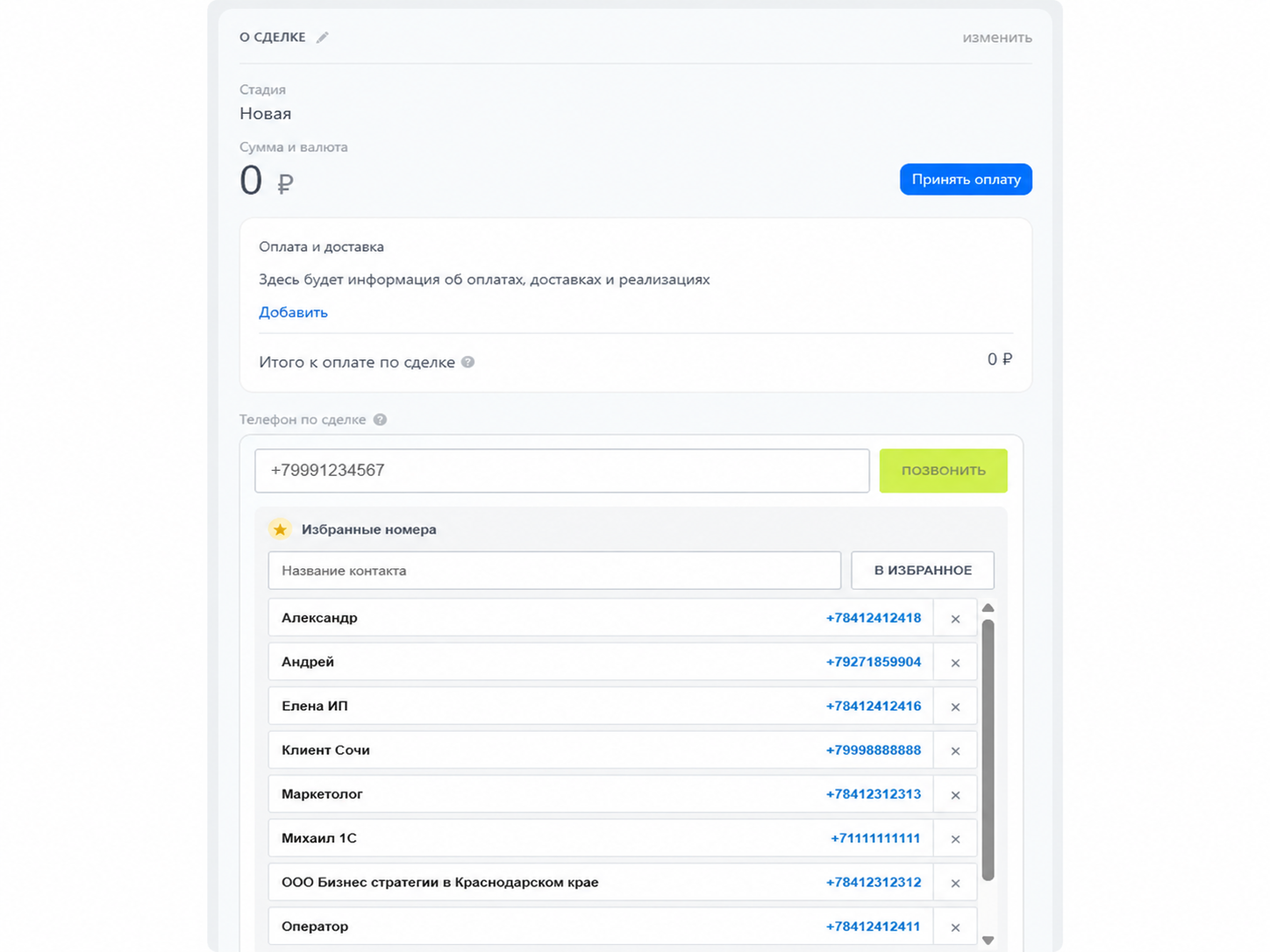
  • The widget adds a dedicated phone field to Bitrix24 companies, deals and contacts.
  • Enter any supported Russian number in the field, even if it is not yet stored in CRM.
  • The call, its outcome and the available recording are saved to the open card’s timeline.

Mini cases

How teams use the Bitrix24 calling widget

Four examples where a call belongs to a specific case, client or project rather than to the person being called. The widget preserves that business context without creating disposable CRM contacts.

Case 2Legal services

Law firm

Calls to a court clerk, enforcement officer or opposing party are stored in the client matter without creating one-off CRM contacts.

  • Matter history in one card
  • Shared context for lawyers
  • No one-off contacts
Read the case

Situation

Several lawyers work on one matter and communicate with external participants who are not clients of the firm.

Before the widget

The communication trail is split between personal memory, telephony and temporary contacts.

With the widget

Every lawyer calls from the matter card, where the call and available recording are stored.

Outcome

  • Faster client updates
  • A shared chronology
  • Less manual searching
Case 3Accounting services

Accounting company

Calls to tax authorities, funds and counterparties are linked to the correct client engagement instead of filling CRM with accidental contacts.

  • Client calls together
  • Clean CRM data
  • Context available later
Read the case

Situation

An accounting team supports dozens of companies and makes external calls for each of them.

Before the widget

A month later, the accountant has to reconstruct who was called and why from several sources.

With the widget

The call is made from the client engagement card and remains there in chronological order.

Outcome

  • A complete client history
  • Less repeated work
  • No “Tax office” duplicates
Case 4Consulting

Consulting group

Calls to a client’s bank, supplier and auditor are collected in the project timeline so the whole team sees the same picture.

  • One project timeline
  • Team-wide visibility
  • Project context preserved
Read the case

Situation

Consultants contact several third parties while delivering one client project.

Before the widget

The project lead has to ask each consultant what happened and search separate call histories.

With the widget

All calls are made from the project card and remain visible to the whole delivery team.

Outcome

  • Transparent project progress
  • Fewer status meetings
  • A consistent communication history

A simple workflow

How it works

To make an outgoing call, open the relevant CRM card, enter the number and press the call button. No separate dialler or new contact is required.

01

Enter any Russian number

Type the number directly into the widget or select it from your personal favourites. You do not need to create a contact.

02

Press the call button

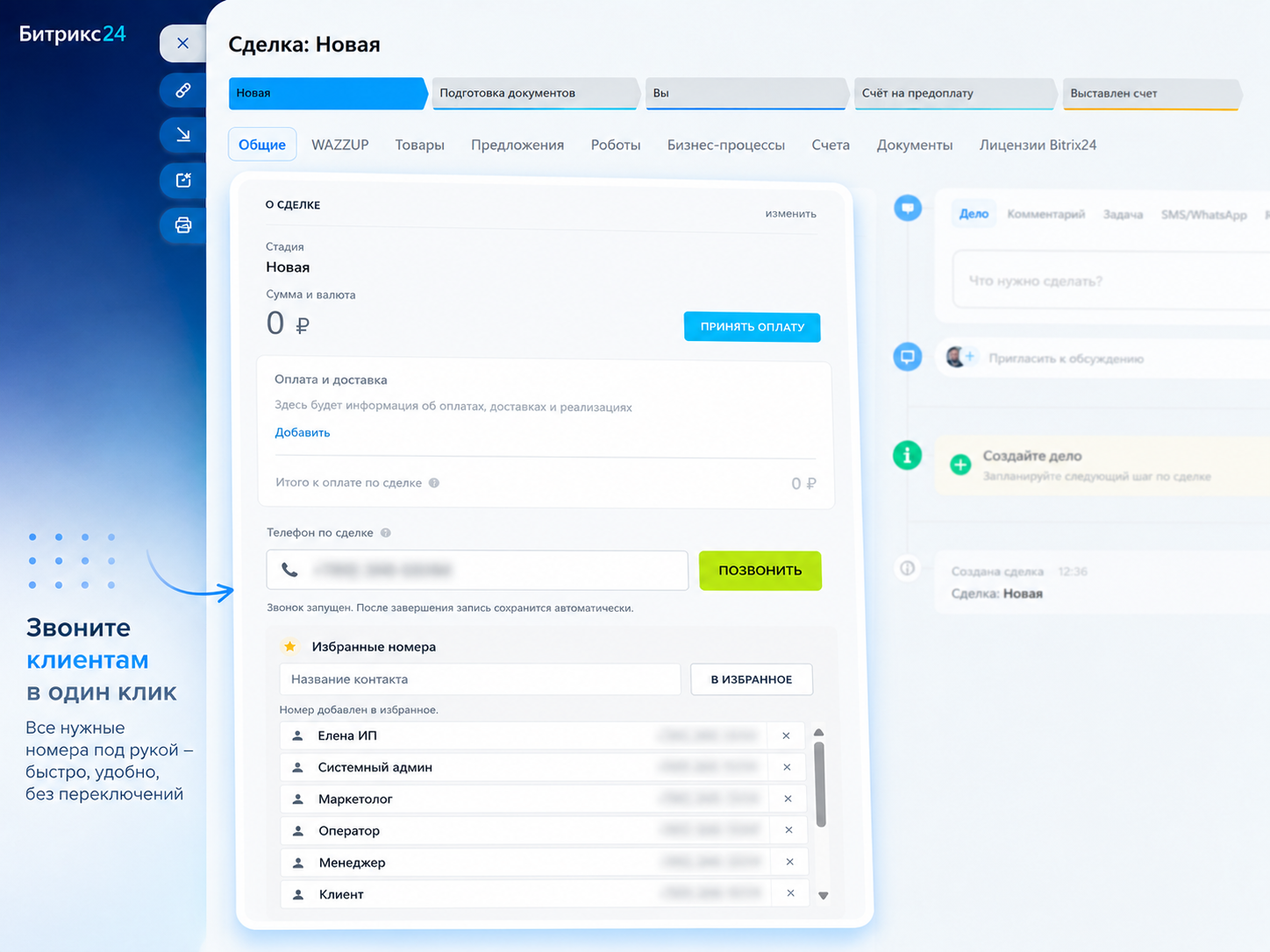
The widget validates and normalises the number, then starts the call through the connected Bitrix24 telephony service.

03

Keep the history in the timeline

A call activity is created in the open card. The recording is attached once it becomes available in the telephony statistics.

The widget’s key feature

The number does not have to be saved or linked to a deal

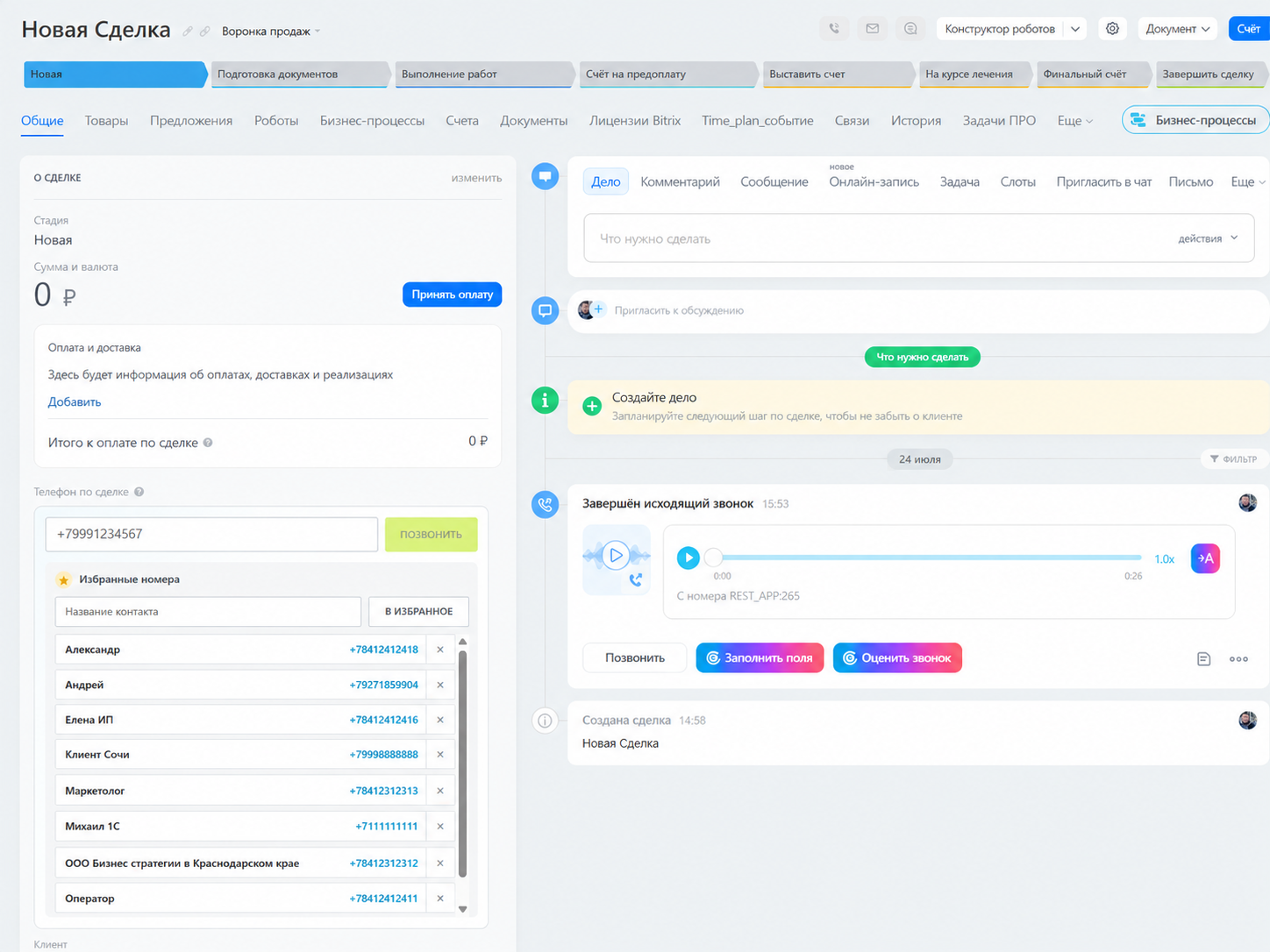
The ITRise Calling Widget works directly in company, deal and contact cards. A sales rep can call a new number without creating a separate contact: simply enter the number in the field and start the call.

Call without a contact
Call a new number without creating a contact using the ITRise phone widget
Number validation
Number validation and normalisation in the ITRise phone widget
Personal favourites
Personal favourite numbers in the ITRise phone widget
Timeline history
Completed call history and call recording in the Bitrix24 timeline

Quick start

The widget configures the phone field automatically

  • The cloud portal administrator handles installation and initial setup.
  • The application registers the phone field type, creates CRM fields and subscribes to call events.
  • Existing settings are not duplicated when setup is run again.

Trial period

7 days

All features are available after the first connection. A subscription is required to continue using the application afterwards.

The price and subscription period will be confirmed before publication.

What is included

  • Dial any supported number without creating a contact
  • A phone field in companies, deals and contacts
  • Calls through the connected Bitrix24 telephony service
  • Call activity and available recording in the CRM timeline
  • Personal favourite numbers on compatible plans

Requirements

  • A Bitrix24 cloud portal with REST API access
  • Connected and configured telephony through a connector
  • Outgoing call permissions for employees and a selected outbound line
  • Call recording enabled if recordings need to be stored in CRM

Ready to get started?

Call a new number from CRM without creating a contact